How to create a Signal account with virtual phone number
Posted on 26/05/26 05:00 pm
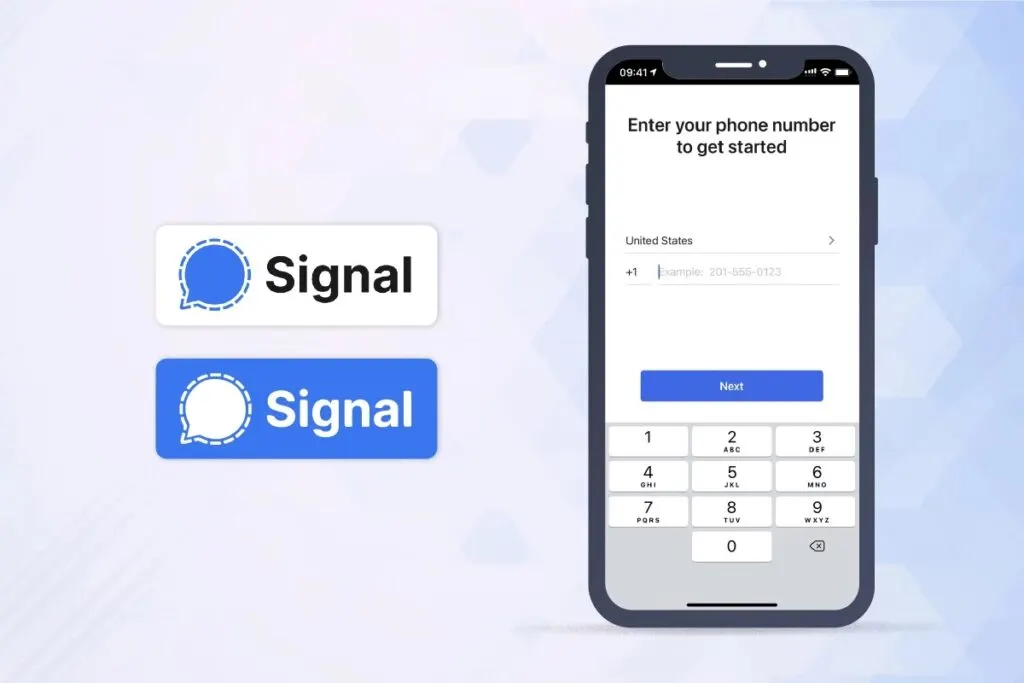
How to Use the Signal App with Virtual Numbers
Nowadays, there are many situations where you might need an additional account. But what if you have only one number and need an extra account immediately, without an additional physical phone number? That’s where our website, SMSOTPVERIFY, comes in. We provide virtual numbers for any country, any region, and any service. We support all popular services, so you can create an account for virtually any platform!
Benefits of Creating a Signal Account with a Virtual Number
Signal is currently one of the most popular messaging apps, with over 105 million users. It offers convenient communication options, including regular messaging, video calls, group chats, and group video calls. To register on Signal, you only need a phone number. Your contacts communicate with you through the number linked to your Signal account. Signal has numerous competitors but remains a trusted app due to its longstanding reputation. Signal works across multiple systems, with data stored securely in the cloud, allowing easy transfer to new devices. With Signal, your messages, photos, and videos are protected, as the app prioritizes data security.
Using Signal is entirely free—all you need is an internet connection. The app is efficient, consuming minimal memory and CPU, so it operates smoothly in the background without straining your device.
Why Use a Virtual Number?
Often, people need a number just for one-time registration with a service, after which a phone number is no longer necessary. With SMSOTPVERIFY, using a virtual number is easy and convenient!
A virtual number for Signal isn’t restricted to just one country; you can choose any country you need! This option applies not only to Signal but also to other services. SMSOTPVERIFY provides both one-time-use virtual numbers and numbers for rent with unlimited SMS capabilities. Our numbers are available worldwide, and for faster SMS code receipt, consider using a VPN set to the country associated with your chosen number. Visit our blog to explore more about our service offerings and see which options best meet your needs.
How to Use the Signal App with a Virtual Number
To register a Signal account with a virtual number, follow these simple steps:
- Go to SMSOTPVERIFY’s registration page and create an account.
- Log in and top up your balance on the “Payment” tab.
- Once funds are credited, return to the main page, select your desired country, choose the “Signal” service, and click “Buy” to purchase the virtual number.
- Enter the purchased number into Signal’s registration form, then click “Receive SMS” on SMSOTPVERIFY to view the verification code.
- Use this verification code to complete your Signal registration.
By following these steps, you’ve learned how to create an additional Signal account using a virtual number. Enjoy the flexibility of multiple accounts with SMSOTPVERIFY!
Get SMS verification numbers on SMS OTP VERIFY
Receive OTP codes for WhatsApp, Telegram, Google, Facebook, and 500+ services in 180+ countries. Create a free account, add balance, and get a virtual number in minutes. Developers can automate flows with our API documentation. Questions? Visit FAQs or contact support.
Recent Posts
- How to Get an SMS Code for TikTok: Complete Guide to Online Verification
14/07/2026 - How to Create a Skype Account without a Phone Number Using a Virtual Number
14/07/2026 - How to Get an SMS Code for Telegram: Complete Guide to Online Verification
13/07/2026 - How to Create a Binance Account without a Phone Number Using a Virtual Number
13/07/2026 - How to Get an SMS Code for Microsoft: Complete Guide to Online Verification
13/07/2026 - How to Create a Zoom Account without a Phone Number Using a Virtual Number
13/07/2026 - How to Get an SMS Code for Viber: Complete Guide to Online Verification
12/07/2026 - How to Create a Stripe Account without a Phone Number Using a Virtual Number
12/07/2026 - How to Get an SMS Code for Signal: Complete Guide to Online Verification
12/07/2026 - How to Create a Slack Account without a Phone Number Using a Virtual Number
12/07/2026 - How to Get an SMS Code for Twitter/X: Complete Guide to Online Verification
11/07/2026 - How to Create a Twitch Account without a Phone Number Using a Virtual Number
11/07/2026 - How to Get an SMS Code for Pinterest: Complete Guide to Online Verification
11/07/2026 - How to Create a Snapchat Account without a Phone Number Using a Virtual Number
11/07/2026 - How to Get an SMS Code for Netflix: Complete Guide to Online Verification
10/07/2026 - How to Create an Uber Account without a Phone Number Using a Virtual Number
10/07/2026 - How to Get an SMS Code for Spotify: Complete Guide to Online Verification
10/07/2026 - How to Create a PayPal Account without a Phone Number Using a Virtual Number
10/07/2026 - How to Get an SMS Code for Snapchat: Complete Guide to Online Verification
09/07/2026 - How to Create a Facebook Account without a Phone Number Using a Virtual Number
09/07/2026
